
Version 0.6.50-r1 · macOS & Windows
Your models.
Your machine.
Chat, agents, schedules, documents and an image studio in one window — running on hardware you own.
macOS signed & notarized · free for personal use · commercial licenses for companies


In one window
Everything happens here.
The chat in the middle, the panels beside it, the servers behind it. Nothing opens a second window, and nothing leaves your machine.


Web App
Exe AI on your phone.
Open Exe AI in the phone’s browser and put it on the home screen. The models keep running on your computer; the phone shows the same chats, agents and schedules.
Image studio
Pictures. Drawn here.
stable-diffusion.cpp runs on this machine. The canvas, the brush and every setting sit in one view.
Servers
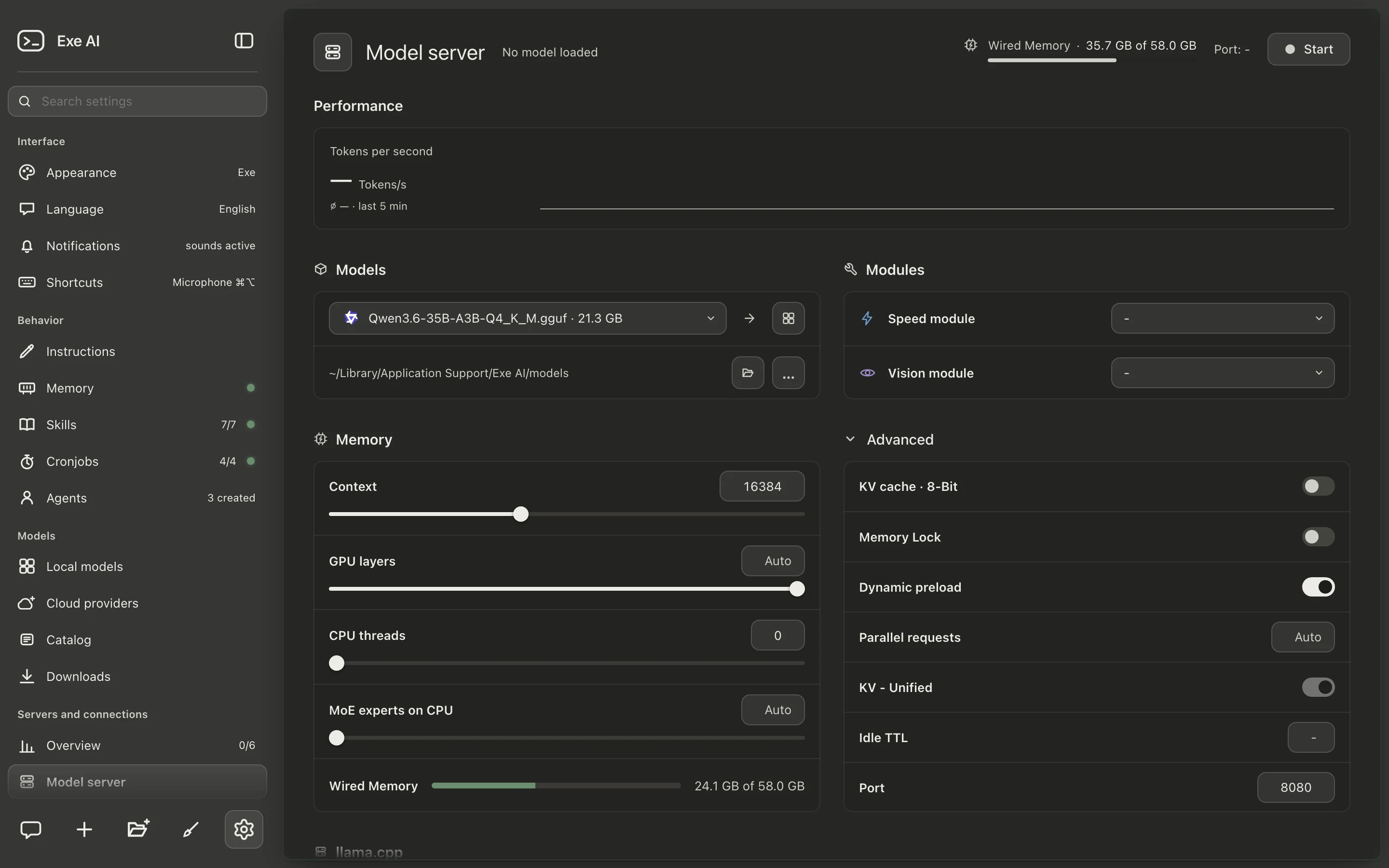
Six servers. Six local ports.
Each server has a page of its own, a log of its own and an honest memory reading before it starts. Any one of them can stand in for another: the agent server can clean up dictation while its own load is low.
- Model server llama.cpp · context, GPU layers, KV cache
- Agent server a model of its own for tasks
- Embedding server finds the passages that match a question
- Speech server dictation
- Clean-up server cleans up dictation, or stands in as a spare
- Image server stable-diffusion.cpp


Appearance
Six appearances.
Exe ships in warm grey. Five more change the whole window while it runs.
Privacy
Built for privacy.
Not a setting — the architecture.
- Binds to 127.0.0.1 chats, settings and models stay in local files
- Keys are never shown again a local file with tight permissions
- Memory stays home it reaches a cloud model only if you say so
- Tool output is data, not orders a web page cannot re-instruct your assistant

This is Exe AI.
Version 0.6.50-r1 · PolyForm Noncommercial 1.0.0 · free for personal use · commercial licenses for companies